TurboKiller_
Intel Turbo Boost control for macOS.
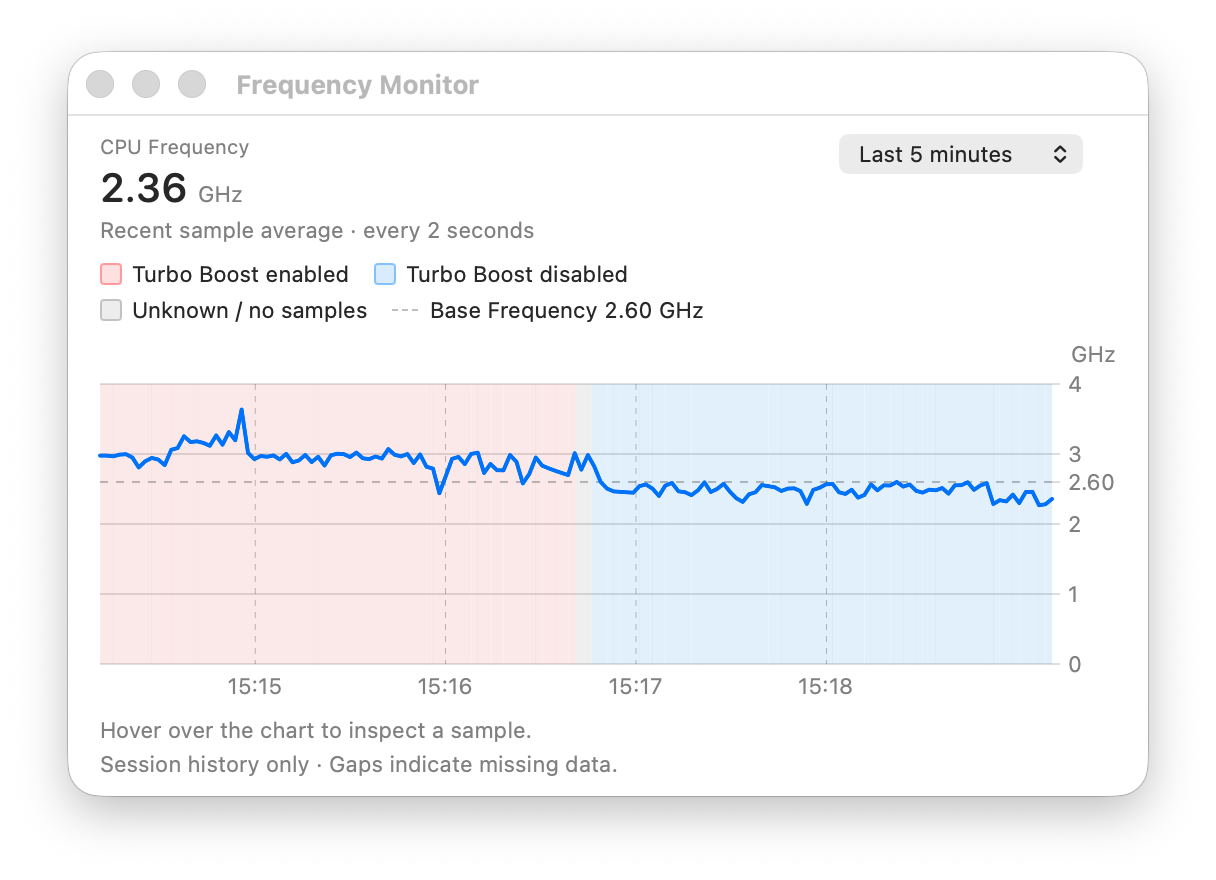
Turn off Turbo Boost when you prefer a quieter Mac, and restore it when you need full performance. See the latest sample-average CPU frequency in the menu bar and compact popover.
Public repositoryGPL-2.0Free & open source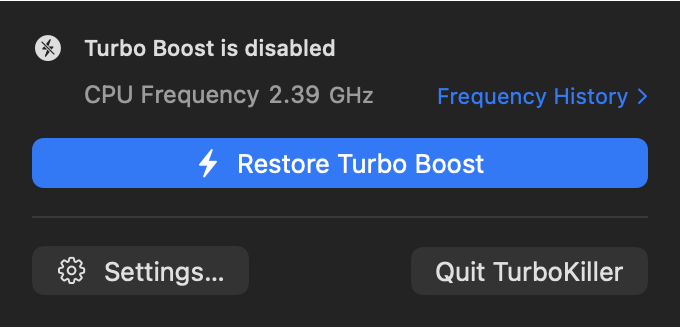
// CPU frequency and history
Pale red means Turbo Boost is enabled; pale blue means it is disabled. The dashed reference is the CPU's nominal base frequency when it can be reliably identified. It is not the current, minimum or maximum frequency.
- 01Open the DMG and drag TurboKiller to Applications.
- 02Open the App. If blocked: Privacy & Security → Open Anyway.
- 03Allow background operation if prompted. Follow any system-extension approval or restart prompts.
Choose “Kill Turbo Boost” for less heat and fan noise; choose “Restore Turbo Boost” when you need performance again. Disabling it may slow down demanding tasks. Check the displayed status after switching.
Does TurboKiller support Apple silicon?
No. TurboKiller is for compatible Intel Macs running macOS 13 or later.
Do I need to disable System Integrity Protection?
No. Keep SIP enabled. If the App does not work on your Mac, please send a report instead of changing security settings.
Can I restore Turbo Boost?
Yes. Choose “Restore Turbo Boost” from the menu bar. If an operation reports an error, check the displayed status before retrying.
Why does macOS show a warning?
The App and background component are Developer ID signed, but the legacy system extension means this version is not Apple-notarized. Download only from the official repository and follow the installation steps.